Com.NordVPN.Android: What It Is and How to Use the NordVPN App
Learn what com.nordvpn.android means, how to install and use NordVPN for Android, and how to check that the app is legitimate.


The keyword com.nordvpn.android is the Android package identifier associated with the NordVPN app. If you found it in an app listing, device settings, or a download file, it refers to the app’s technical identity rather than a separate VPN service. NordVPN for Android lets you connect your device to VPN servers, manage security settings, and use features supported by your account and app version.

Editor's pick: NordVPN — fast, secure VPN — Strong encryption, a no-logs policy and apps for every device. 30-day money-back guarantee. Get NordVPN →
Safe ways to get NordVPN for Android
| Option | Source | App identity check | Main advantage | Main caution |
|---|---|---|---|---|
| Google Play | Official app listing | Check developer and app name | Installs through the Play Store | Avoid lookalike listings |
| NordVPN website | Official NordVPN site | Follow its Android download link | Direct access to official guidance | Confirm the domain before downloading |
| Existing app update | Google Play or official source | Verify the installed app identity | Keeps the app current | Do not update from an unfamiliar prompt |
| Third-party APK site | Unofficial download site | Difficult to verify | May offer an APK file | Higher risk of modified or unsafe files |
| Link in a message | Email, text, or social post | Treat the sender and link as unverified | Convenient if legitimate | Could lead to phishing or fake downloads |
| Search result | Search engine listing | Check the destination domain | Helps find official resources | Sponsored or lookalike results may mislead |
Compiled November 2026; check the provider's site for current details.
| VPN | Obfuscation | From / month | Plan | Free plan | Refund | Alipay | UnionPay | Crypto | Website opens in China | Trustpilot | |
|---|---|---|---|---|---|---|---|---|---|---|---|
 NordVPN | Turn on manually Obfuscated Servers / NordWhisper | $3.49/mo | 27 months: $94.23 | No | 30 days | ? | ✗ | ✓ | ✓ | ✗ Blocked | 4.2/5 (51,628 reviews) |
 ZoogVPN | Turn on manually Shadow | $2.49/mo | 27 months: $59.99 | Yes | 7 days | ✓ | ✓ | ✓ | ✓ | Official site blocked; our special link opens (4.4 s) | 4.2/5 (195 reviews) |
 ExpressVPN | ✓ On by default all servers | $3.00/mo | 28 months: $84 | No | 30 days | ✗ | ✗ | ✓ | ✗ | ✗ Blocked | 4.4/5 (29,706 reviews) |
 Surfshark | ✓ On by default Camouflage, with OpenVPN | See site | See site | No | 30 days | ✗ | ✗ | ✗ | ✓ | ✗ Blocked | 4.3/5 (31,823 reviews) |
 Proton VPN | Turn on manually Stealth, free plan too | $2.99/mo | 12 months: $35.88 | Yes | 30 days | ✗ | ✗ | ✗ | ✓ | ✗ Blocked | 2.1/5 (1,040 reviews) |
 Astrill VPN | Turn on manually StealthVPN / OpenWeb | $12.50/mo | 24 months: $300 | No | See site | ✗ | ✗ | ✗ | ✓ | ✗ Blocked | 1.3/5 (110 reviews) |
 Private Internet Access | Turn on manually Shadowsocks, OpenVPN only | $2.03/mo | 40 months: $81.2 | No | 30 days | ✗ | ✗ | ✗ | ✗ | ✗ Blocked | 4.2/5 (11,033 reviews) |
 CyberGhost | Turn on manually selected servers | $2.19/mo | 28 months: $61.32 | No | 45 days | ✗ | ✗ | ✗ | ✓ | ✗ Blocked | 4.0/5 (24,178 reviews) |
 PureVPN | Turn on manually switch to OpenVPN | $1.69/mo | 60 months: $101.55 | No | 31 days | ? | ? | ✗ | ✓ | ✗ Blocked | 4.4/5 (17,994 reviews) |
 AdGuard VPN | ✓ On by default TrustTunnel | $2.99/mo | 24 months: $71.76 | Yes | 30 days | ✓ | ✗ | ✓ | ✓ | Official site blocked; our special link opens (3.7 s) | 4.3/5 (290 reviews) |
 Mullvad | Turn on manually QUIC / Shadowsocks / LWO | $5.61/mo | €5/mo | No | 14 days | ✗ | ✗ | ✗ | ✓ | ✗ Blocked | 3.2/5 (192 reviews) |
 Windscribe | Turn on manually Stealth / WStunnel | $5.75/mo | 12 months: $69 | Yes | See site | ✗ | ✗ | ✗ | ✓ | ✗ Blocked | 4.7/5 (13,355 reviews) |
 StrongVPN | Turn on manually Scramble, OpenVPN TCP | See site | See site | No | 30 days | ✓ | ✗ | ✗ | ✗ | ✗ Blocked | 4.4/5 (2,695 reviews) |
 LightXtreme 闪连 | Not listed | $7.08/mo | 12 months: $84.99 | Yes | 30 days | ✓ | ✓ | ✓ | ✓ | ✓ Yes (3.5 s) | No page |
Prices checked 2026-11-10 on each vendor's pricing page (cheapest long plan, USD). Check the vendor's checkout for the final price.
Obfuscation checked 2026-11-14 on each vendor's site and help center: "on by default" = nothing to set; "turn on manually" = switch protocol or mode in settings; "not listed" = the vendor describes no obfuscation.
Payment methods checked 2026-11-10 on each vendor's payment pages: all 14 take cards and PayPal; ✗ = not listed, ? = the vendor's own pages disagree.
China access: whether the official website opens from mainland China networks (tests the website only, not the VPN connection). Last checked 2026-11-18 01:02 Beijing time.
Trustpilot score and review count checked 2026-11-10.
What com.NordVPN.Android means
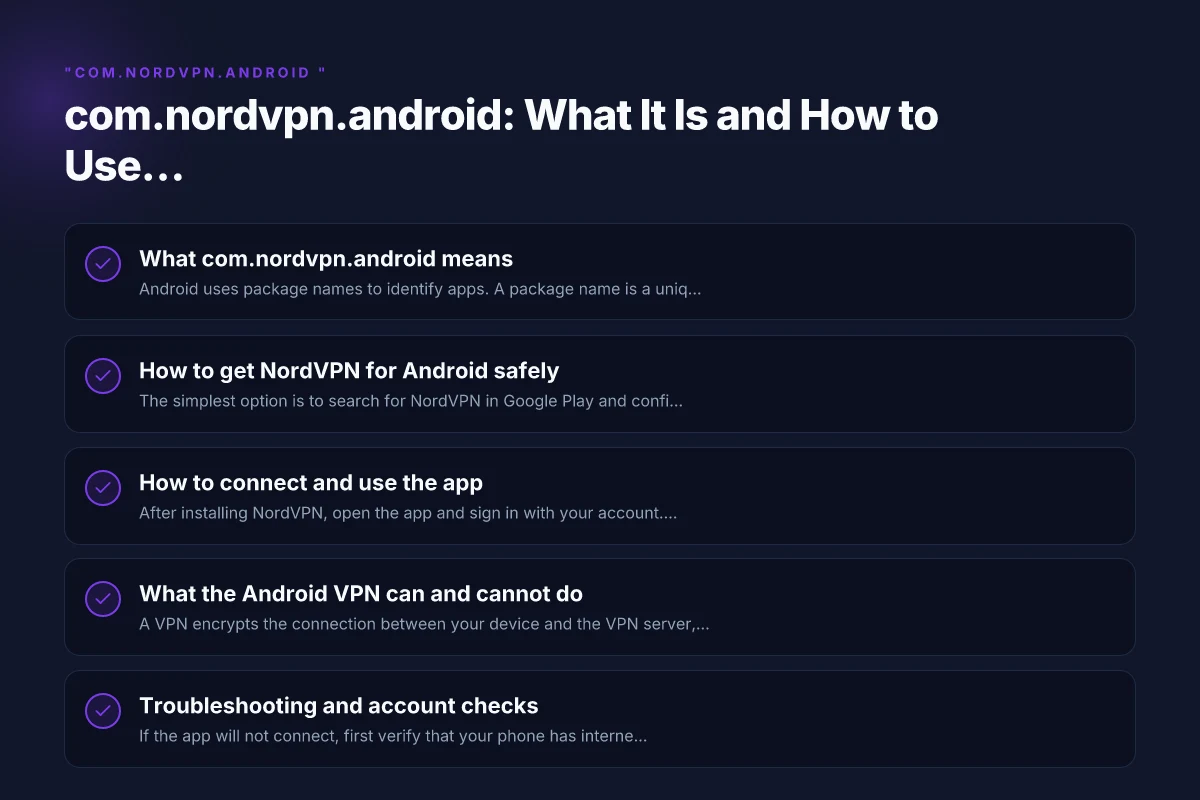
Android uses package names to identify apps. A package name is a unique-looking string used by the operating system and app stores to distinguish one app from another. In this case, com.nordvpn.android is associated with NordVPN’s Android application.
You may encounter the identifier in several places:
- An app information page in Android settings
- A Google Play link or app-management tool
- A security scan or device log
- The name or details of an Android installation file
The identifier alone does not prove that a file is genuine. Malicious or modified files can imitate an app’s name or appearance. Check the source, developer information, and installation details before granting an app access to your device.
How to get NordVPN for Android safely
The simplest option is to search for NordVPN in Google Play and confirm that the listing is published by the official NordVPN developer. You can also follow an Android download link from NordVPN’s official website. Avoid third-party APK sites unless you have a specific, well-understood reason to use them. Certificate Validation Failure Cisco VPN: Causes and Fixes
Before installing, consider these checks:
- Confirm the app’s developer and store listing.
- Read the requested permissions and decide whether they make sense.
- Check that your Android version is supported.
- Keep Google Play Protect and Android system updates enabled.
- Don’t enter your NordVPN password into a site or app you reached through an unexpected message.
If you install an APK from an official source, Android may ask you to allow installation from that source. Only enable this temporarily if you trust the source, and turn it off again afterward. For most users, Google Play is the more straightforward choice.
What an Android VPN can and cannot do
| Need or expectation | VPN support | What it does | What it does not guarantee | Useful check |
|---|---|---|---|---|
| Encrypt connection traffic | Supported | Protects traffic between the device and VPN server | Does not secure every app or account | Connect, then review app status |
| Change apparent IP location | Supported | Routes traffic through a selected VPN server | Does not guarantee access to every service | Try a server in the desired region |
| Protect public Wi-Fi use | Supported | Adds an encrypted VPN connection | Does not make unsafe links trustworthy | Keep device and apps updated |
| Hide browsing from local network observers | Supported | Limits what the local network can see about VPN traffic | Does not make the user anonymous | Review privacy settings and account use |
| Stop all tracking | No | A VPN can reduce some network visibility | Does not block every tracker or identify-based tracking | Use app and browser privacy controls |
| Prevent malware | No | A VPN is not a substitute for security software | Does not remove malware already on the device | Download apps from trusted sources |
| Fix slow internet | No guarantee | May change the route traffic takes | Can sometimes reduce speed | Compare nearby servers and the normal connection |
Compiled November 2026; check the provider's site for current details. Forticlientvpnonlineinstaller: Download, Install, and Troubleshoot FortiClient VPN
How to connect and use the app
After installing NordVPN, open the app and sign in with your account. Follow the on-screen instructions to approve the Android VPN connection request. Android displays this approval because a VPN app needs permission to route network traffic through its VPN connection.
To connect, you can usually tap the app’s quick-connect option or select a country or server from the available list. Exact screens and feature names may change with app updates, your subscription, and your location.
A basic setup looks like this:
- Install the app from a trusted source.
- Sign in to your NordVPN account.
- Approve Android’s VPN connection prompt.
- Choose a server or use quick connect.
- Check the app’s connection status before using a network-sensitive service.
You can disconnect from the app when you no longer want to use the VPN. Android may also show a key or VPN indicator while a connection is active. If the connection fails, check your internet access, update the app, and try another server. Restarting the app or device can also help with temporary problems. Free VPN Extension for Microsoft Edge: Best Options and Safe Setup
What the Android VPN can and cannot do
A VPN encrypts the connection between your device and the VPN server, helping protect traffic from observation on the local network. This can be useful on public Wi-Fi and can change the IP address that websites see to the address associated with the VPN server.
A VPN is not a complete security or privacy solution. It does not automatically:
- Prevent phishing or unsafe downloads
- Remove tracking from websites or apps
- Make you anonymous to every service you use
- Protect traffic after it leaves the VPN server
- Replace antivirus tools, strong passwords, or software updates
Websites may still identify you through account logins, cookies, browser settings, or other signals. Your internet provider may also be able to see that you are connecting to a VPN, even though the VPN is designed to shield the contents of protected traffic from the local network.
| Need | What NordVPN for Android may help with | What it does not guarantee |
|---|---|---|
| Public Wi-Fi privacy | Encrypts traffic between your device and the VPN server | Safety from every network or device threat |
| Changing your apparent IP address | Routes traffic through a selected VPN server | Access to every website or service |
| General online security | Adds a layer of protection to network traffic | Anonymity or protection from phishing |
Troubleshooting and account checks NordVPN China: Does It Work, and What Should You Know?
| Symptom or question | Check first | Suggested action | Account check | When to seek help |
|---|---|---|---|---|
| App will not connect | Internet access and app status | Switch server and reconnect | Confirm the account is active | If connection still fails |
| Connection is slow | Server location and network quality | Try a nearby server | Check for account notices | If slowness persists across networks |
| App is missing | Installation source and device compatibility | Reinstall from an official source | Sign in with the correct account | If the official listing is unavailable |
| Sign-in fails | Email, password, and connection | Re-enter details and retry | Use the account recovery process | If recovery does not work |
| Subscription appears inactive | Signed-in account and purchase source | Refresh account status | Verify subscription details with the provider | If the purchase is not recognized |
| App behaves unexpectedly | App version and device settings | Update or reinstall the official app | Check for account alerts | If the issue continues |
| Unsure whether a download is genuine | Publisher and download domain | Remove suspicious files and use an official source | Change credentials if entered on a suspect site | If account activity looks unfamiliar |
Compiled November 2026; check the provider's site for current details.
Troubleshooting and account checks
If the app will not connect, first verify that your phone has internet access without the VPN. Then update NordVPN through the source you used to install it and check whether Android has an available system update. Trying a different server or switching between Wi-Fi and mobile data can help identify whether the issue is network-specific.
If you see com.nordvpn.android in a scan or settings page and are unsure whether the installed app is legitimate, open Android’s app information screen and inspect the app details. Compare them with the official store listing, and avoid relying on the package name by itself. If you installed the app from an unknown source, uninstall it, run a security scan, and reinstall from Google Play or NordVPN’s official website.
For billing, subscription access, or account recovery, use NordVPN’s official account and support channels. Don’t share your password or verification codes with anyone claiming to offer unofficial support. IPsec VPN connection is down forticlient: Causes and Fixes
Recommendation
For most Android users, com.nordvpn.android simply identifies NordVPN’s Android app. Install it through Google Play or an official NordVPN download, confirm the app’s source, and use the VPN as one part of a broader security routine, not as a guarantee of anonymity or complete protection.