Free VPNs That Change Location: What Works and What to Expect
Compare free VPNs that can change your IP location, understand their limits, and choose one more safely.


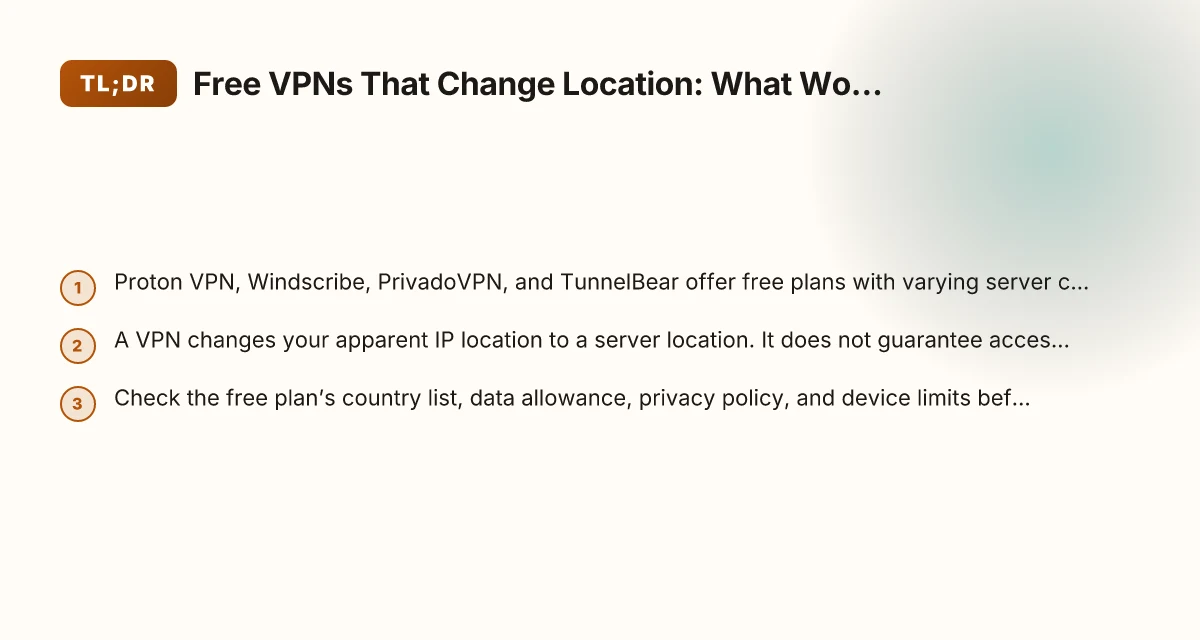
If you’re looking for free VPNs that change location, start with reputable services that let free users choose from at least some VPN server locations. Proton VPN, Windscribe, PrivadoVPN, and TunnelBear are options to compare, but their free plans differ in country availability, speed, data limits, and features. A VPN can make websites see the IP address of its server instead of yours, but it cannot change your GPS location or guarantee that a site will treat you as being in a particular country.

Editor's pick: NordVPN — fast, secure VPN — Strong encryption, a no-logs policy and apps for every device. 30-day money-back guarantee. Get NordVPN →
Compare free VPN options by the location-changing features and trade-offs that matter.
| VPN | Free locations | Data limits | Device support | Main trade-off |
|---|---|---|---|---|
| Proton VPN | Limited free server locations | No data limit | Desktop and mobile | Free locations may be crowded |
| Windscribe | Free locations in selected countries | Monthly allowance | Desktop and mobile | Data is limited |
| PrivadoVPN | Free locations in selected countries | Monthly allowance | Desktop and mobile | Data is limited |
| TunnelBear | Free locations in many countries | Small monthly allowance | Desktop and mobile | Allowance may be restrictive |
| hide.me | Free locations in selected countries | Free-tier limits apply | Desktop and mobile | Location choice is limited |
| Hotspot Shield | Free locations in selected countries | Free-tier limits apply | Desktop and mobile | Free tier may have restrictions |
Compiled November 2026; check the provider's site for current details.
| VPN | Obfuscation | From / month | Plan | Free plan | Refund | Alipay | UnionPay | Crypto | Website opens in China | Trustpilot | |
|---|---|---|---|---|---|---|---|---|---|---|---|
 Proton VPN | Turn on manually Stealth, free plan too | $2.99/mo | 12 months: $35.88 | Yes | 30 days | ✗ | ✗ | ✗ | ✓ | ✗ Blocked | 2.1/5 (1,040 reviews) |
 Windscribe | Turn on manually Stealth / WStunnel | $5.75/mo | 12 months: $69 | Yes | See site | ✗ | ✗ | ✗ | ✓ | ✗ Blocked | 4.7/5 (13,355 reviews) |
 ZoogVPN | Turn on manually Shadow | $2.49/mo | 27 months: $59.99 | Yes | 7 days | ✓ | ✓ | ✓ | ✓ | Official site blocked; our special link opens (4.4 s) | 4.2/5 (195 reviews) |
 NordVPN | Turn on manually Obfuscated Servers / NordWhisper | $3.49/mo | 27 months: $94.23 | No | 30 days | ? | ✗ | ✓ | ✓ | ✗ Blocked | 4.2/5 (51,628 reviews) |
 ExpressVPN | ✓ On by default all servers | $3.00/mo | 28 months: $84 | No | 30 days | ✗ | ✗ | ✓ | ✗ | ✗ Blocked | 4.4/5 (29,706 reviews) |
 Surfshark | ✓ On by default Camouflage, with OpenVPN | See site | See site | No | 30 days | ✗ | ✗ | ✗ | ✓ | ✗ Blocked | 4.3/5 (31,823 reviews) |
 Astrill VPN | Turn on manually StealthVPN / OpenWeb | $12.50/mo | 24 months: $300 | No | See site | ✗ | ✗ | ✗ | ✓ | ✗ Blocked | 1.3/5 (110 reviews) |
 Private Internet Access | Turn on manually Shadowsocks, OpenVPN only | $2.03/mo | 40 months: $81.2 | No | 30 days | ✗ | ✗ | ✗ | ✗ | ✗ Blocked | 4.2/5 (11,033 reviews) |
 CyberGhost | Turn on manually selected servers | $2.19/mo | 28 months: $61.32 | No | 45 days | ✗ | ✗ | ✗ | ✓ | ✗ Blocked | 4.0/5 (24,178 reviews) |
 PureVPN | Turn on manually switch to OpenVPN | $1.69/mo | 60 months: $101.55 | No | 31 days | ? | ? | ✗ | ✓ | ✗ Blocked | 4.4/5 (17,994 reviews) |
 AdGuard VPN | ✓ On by default TrustTunnel | $2.99/mo | 24 months: $71.76 | Yes | 30 days | ✓ | ✗ | ✓ | ✓ | Official site blocked; our special link opens (3.7 s) | 4.3/5 (290 reviews) |
 Mullvad | Turn on manually QUIC / Shadowsocks / LWO | $5.61/mo | €5/mo | No | 14 days | ✗ | ✗ | ✗ | ✓ | ✗ Blocked | 3.2/5 (192 reviews) |
 StrongVPN | Turn on manually Scramble, OpenVPN TCP | See site | See site | No | 30 days | ✓ | ✗ | ✗ | ✗ | ✗ Blocked | 4.4/5 (2,695 reviews) |
 LightXtreme 闪连 | Not listed | $7.08/mo | 12 months: $84.99 | Yes | 30 days | ✓ | ✓ | ✓ | ✓ | ✓ Yes (3.5 s) | No page |
Prices checked 2026-11-10 on each vendor's pricing page (cheapest long plan, USD). Check the vendor's checkout for the final price.
Obfuscation checked 2026-11-14 on each vendor's site and help center: "on by default" = nothing to set; "turn on manually" = switch protocol or mode in settings; "not listed" = the vendor describes no obfuscation.
Payment methods checked 2026-11-10 on each vendor's payment pages: all 14 take cards and PayPal; ✗ = not listed, ? = the vendor's own pages disagree.
China access: whether the official website opens from mainland China networks (tests the website only, not the VPN connection). Last checked 2026-11-18 01:02 Beijing time.
Trustpilot score and review count checked 2026-11-10.
Free VPNs to consider
Free plans change over time, so check each provider’s current terms and server list before installing. In particular, confirm that the free tier lets you select a location. Some services assign a server automatically or reserve country selection for paying customers.
| VPN | What to check on the free plan | Best fit |
|---|---|---|
| Proton VPN | Which free server locations are currently available; free-plan speed and device limits | Regular browsing without a monthly data cap |
| Windscribe | Available free locations, monthly data allowance, and signup requirements | Trying different locations within a data budget |
| PrivadoVPN | Free server countries, monthly data allowance, and connection limits | Occasional browsing or short sessions |
| TunnelBear | Free data allowance and whether the locations you want are included | Beginners who value a simple interface |
These are starting points, not a guarantee that every location will be available to every free user. Providers may change their plans, impose queues or speed limits, or adjust which countries can be selected.
A closer look
Proton VPN is worth considering if you want to browse regularly and its current free locations meet your needs. Its free plan has historically stood out for not imposing a monthly data cap, though free users may have fewer location choices and other limits than subscribers.
Windscribe and PrivadoVPN have offered free plans with monthly data allowances. These can work for occasional use, but video, large downloads, and frequent VPN use can consume data quickly. Check the current country list and allowance rather than relying on old reviews. How to Open an OVPN File on Windows, Mac, Linux, Android, and iPhone
TunnelBear is known for an approachable app, but its free plan has generally included a relatively small data allowance. It may suit a quick test or light browsing better than continuous use. Confirm its current free-tier limits before relying on it.
What “changing location” means
A VPN creates an encrypted connection between your device and a VPN server. When you visit a website through that connection, the site generally sees the server’s public IP address rather than your home IP. If the server is in another country, your IP may appear to come from that country.
This is not the same as changing every location signal on your device. Websites and apps may also use GPS permissions, Wi-Fi networks, account details, payment information, browser settings, or other clues. A VPN does not alter your physical location, and it will not necessarily change the country shown by every app.
A location change can be useful for improving privacy on public Wi-Fi, checking how a website appears from another region, or connecting through a server while travelling. Use VPNs lawfully and follow the terms of the services you access. Best Free Edge VPN Extension for UK Users: What to Choose in 2026
Limits of free VPNs
Free plans can be useful, but they often involve trade-offs. The most important is location choice: a free plan may offer only a handful of countries, and the country you want may be available only on a paid tier. Some providers also limit speed, simultaneous connections, or access to particular servers.
Data allowances matter if you stream or download. A few hours of video can use much more data than ordinary web browsing, so a monthly cap may run out quickly. Free servers can also become crowded, especially at busy times, which may slow your connection.
Streaming access is uncertain. Streaming platforms regularly update their systems to detect and block VPN traffic. A VPN that works with a service today may not work tomorrow, and free plans generally offer less choice if a server is blocked. Don’t choose a VPN solely on a promise that it will unlock a particular library.
Understand what a VPN location change can—and cannot—change. Best VPN for Edge Free: Safe Options for Microsoft Edge
| Location signal | Can a VPN affect it? | What changes | What may remain unchanged | How to check |
|---|---|---|---|---|
| Public IP address | Yes | IP address seen by websites | Other device signals | Check an IP lookup site |
| Approximate IP location | Yes | Country or region inferred from IP | Accuracy of location databases | Compare IP lookup results |
| GPS location | Usually no | Nothing, unless separately changed | Phone’s GPS coordinates | Check device location settings |
| Account region | Not necessarily | Usually nothing directly | Region saved to an account | Review account settings |
| Payment country | No | Nothing directly | Billing address and payment method | Check payment details |
| App-store region | No | Nothing directly | Store account’s country | Review store account settings |
Compiled November 2026; check the provider's site for current details.
How to choose a safer free VPN
Before installing a VPN, check who operates it and how it handles your information. Read its privacy policy and look for clear answers about connection logs, browsing activity, data sharing, and how the company funds the free plan. A trustworthy provider should explain its limits plainly rather than making sweeping claims about complete anonymity.
Use this checklist:
- Confirm the exact free server countries and whether you can choose among them.
- Check the data cap, speed limits, device limit, and renewal terms.
- Download the app from the provider’s official site or a trusted app store.
- Review the permissions the app requests and keep it updated.
- Look for features such as a kill switch, which can block internet traffic if the VPN connection drops.
- Avoid services with unclear ownership, intrusive ads, or vague privacy policies.
A VPN protects traffic between your device and the VPN server, but it does not make you anonymous. Websites can still identify you when you sign in, and a VPN does not replace strong passwords, software updates, or careful handling of personal information. Best Free VPN Microsoft Edge: Top Choices and How to Choose
How to test a location change
After connecting to a free server, check your public IP address using a reputable IP-checking site. The displayed country should match the VPN server you selected, though the city may be inaccurate because IP databases are not always precise.
If the location does not appear to change, disconnect and reconnect, try another server, and check whether your app has a kill switch or connection protection setting. Browser location permissions are separate from IP location: if a site asks for GPS or precise location access, deny it unless the feature is necessary. You can also review your device’s location settings and browser permissions.
Remember that an IP check confirms only what that check can see. It does not prove that every app or website will use the same location signal.
Use these checks to choose a safer free VPN and verify that its location change works. VPN Extensions for Edge: How to Choose and Use One
| Decision or test | What to look for | Reassuring result | Warning sign | Next step |
|---|---|---|---|---|
| Provider transparency | Named company and clear policies | Ownership and policies are easy to find | Unclear operator or vague claims | Choose a more transparent provider |
| Privacy policy | Data collection and retention details | Collection is limited and explained | Broad or unclear data collection | Read the policy before signing up |
| App source | Official provider website or app store | App comes from a verified source | Unknown download site | Avoid installing the app |
| Permissions | Requests relevant to VPN features | No unnecessary access requested | Unrelated access requests | Review or deny permissions |
| IP check | Public IP after connecting | IP differs from your usual one | Original IP still appears | Reconnect or contact support |
| DNS check | DNS resolver after connecting | No unexpected DNS exposure | Resolver reveals your usual network | Enable leak protection or switch VPN |
| Reliability check | Results across repeated tests | Location stays consistent | Frequent drops or changing results | Try another server or provider |
Compiled November 2026; check the provider's site for current details.
Recommendation
For a free VPN that changes your apparent IP location, compare Proton VPN, Windscribe, PrivadoVPN, and TunnelBear based on their current free server lists and limits. Choose the one that offers a selectable country you need, has a clear privacy policy, and provides enough data for your use. If you need a specific country, dependable streaming access, or consistent speeds, a reputable paid plan is more likely to meet those needs than a free tier.