NordVPN Not Logging In? Practical Fixes to Restore Access
Fix NordVPN login problems by checking your credentials, connection, app, and account status, then try safe recovery steps.
If NordVPN is not logging in, first check that you’re using the correct Nord Account email and password, then test your internet connection and update or restart the app. NordVPN sign-in issues can also result from a browser problem, an expired session, account or payment status, or temporary service trouble. Work through the steps below in order, and avoid sharing your password or verification codes with anyone.

Editor's pick: NordVPN — fast, secure VPN — Strong encryption, a no-logs policy and apps for every device. 30-day money-back guarantee. Get NordVPN →
Match the sign-in problem to a practical next step
| What you notice | Likely area to check | First action | If it still fails |
|---|---|---|---|
| Password is rejected | Nord Account details | Check the email and password | Reset your password |
| Login uses an unfamiliar email | Account details | Try the email used to subscribe | Check your confirmation email |
| Sign-in page will not load | Connection or browser | Try another browser | Test another network |
| Login works in a browser but not the app | App or device | Update the NordVPN app | Restart the device |
| App reports a connection problem | Network | Switch networks | Retry the sign-in |
| Sign-in is blocked after repeated attempts | Security settings | Pause before trying again | Contact NordVPN support |
| Subscription or account status is unclear | Account status | Check your Nord Account | Ask support to review the account |
Compiled November 2026; check the provider's site for current details.
| VPN | Obfuscation | From / month | Plan | Free plan | Refund | Alipay | UnionPay | Crypto | Website opens in China | Trustpilot | |
|---|---|---|---|---|---|---|---|---|---|---|---|
 NordVPN | Turn on manually Obfuscated Servers / NordWhisper | $3.49/mo | 27 months: $94.23 | No | 30 days | ? | ✗ | ✓ | ✓ | ✗ Blocked | 4.2/5 (51,628 reviews) |
 ZoogVPN | Turn on manually Shadow | $2.49/mo | 27 months: $59.99 | Yes | 7 days | ✓ | ✓ | ✓ | ✓ | Official site blocked; our special link opens (4.4 s) | 4.2/5 (195 reviews) |
 ExpressVPN | ✓ On by default all servers | $3.00/mo | 28 months: $84 | No | 30 days | ✗ | ✗ | ✓ | ✗ | ✗ Blocked | 4.4/5 (29,706 reviews) |
 Surfshark | ✓ On by default Camouflage, with OpenVPN | See site | See site | No | 30 days | ✗ | ✗ | ✗ | ✓ | ✗ Blocked | 4.3/5 (31,823 reviews) |
 Proton VPN | Turn on manually Stealth, free plan too | $2.99/mo | 12 months: $35.88 | Yes | 30 days | ✗ | ✗ | ✗ | ✓ | ✗ Blocked | 2.1/5 (1,040 reviews) |
 Astrill VPN | Turn on manually StealthVPN / OpenWeb | $12.50/mo | 24 months: $300 | No | See site | ✗ | ✗ | ✗ | ✓ | ✗ Blocked | 1.3/5 (110 reviews) |
 Private Internet Access | Turn on manually Shadowsocks, OpenVPN only | $2.03/mo | 40 months: $81.2 | No | 30 days | ✗ | ✗ | ✗ | ✗ | ✗ Blocked | 4.2/5 (11,033 reviews) |
 CyberGhost | Turn on manually selected servers | $2.19/mo | 28 months: $61.32 | No | 45 days | ✗ | ✗ | ✗ | ✓ | ✗ Blocked | 4.0/5 (24,178 reviews) |
 PureVPN | Turn on manually switch to OpenVPN | $1.69/mo | 60 months: $101.55 | No | 31 days | ? | ? | ✗ | ✓ | ✗ Blocked | 4.4/5 (17,994 reviews) |
 AdGuard VPN | ✓ On by default TrustTunnel | $2.99/mo | 24 months: $71.76 | Yes | 30 days | ✓ | ✗ | ✓ | ✓ | Official site blocked; our special link opens (3.7 s) | 4.3/5 (290 reviews) |
 Mullvad | Turn on manually QUIC / Shadowsocks / LWO | $5.61/mo | €5/mo | No | 14 days | ✗ | ✗ | ✗ | ✓ | ✗ Blocked | 3.2/5 (192 reviews) |
 Windscribe | Turn on manually Stealth / WStunnel | $5.75/mo | 12 months: $69 | Yes | See site | ✗ | ✗ | ✗ | ✓ | ✗ Blocked | 4.7/5 (13,355 reviews) |
 StrongVPN | Turn on manually Scramble, OpenVPN TCP | See site | See site | No | 30 days | ✓ | ✗ | ✗ | ✗ | ✗ Blocked | 4.4/5 (2,695 reviews) |
 LightXtreme 闪连 | Not listed | $7.08/mo | 12 months: $84.99 | Yes | 30 days | ✓ | ✓ | ✓ | ✓ | ✓ Yes (3.5 s) | No page |
Prices checked 2026-11-10 on each vendor's pricing page (cheapest long plan, USD). Check the vendor's checkout for the final price.
Obfuscation checked 2026-11-14 on each vendor's site and help center: "on by default" = nothing to set; "turn on manually" = switch protocol or mode in settings; "not listed" = the vendor describes no obfuscation.
Payment methods checked 2026-11-10 on each vendor's payment pages: all 14 take cards and PayPal; ✗ = not listed, ? = the vendor's own pages disagree.
China access: whether the official website opens from mainland China networks (tests the website only, not the VPN connection). Last checked 2026-11-18 01:02 Beijing time.
Trustpilot score and review count checked 2026-11-10.
1. Check your Nord Account details
NordVPN uses a Nord Account for sign-in. Make sure you’re entering the email address associated with your subscription, not necessarily the address you use for another service.
If you’re unsure of your password, don’t keep guessing. Repeated failed attempts may trigger additional security checks or temporarily restrict access. Instead, go to the official Nord Account sign-in page or open the NordVPN app and select the password-reset option.
After requesting a reset:
- Check your inbox, spam, and junk folders for the reset email.
- Confirm you entered the correct email address.
- Use the newest reset link, since older links may expire.
- Create a new, unique password and save it in a password manager.
If you normally sign in using a third-party identity option, such as Google or Apple, use that same option rather than entering a separate password. Be cautious of login links in unsolicited messages. Navigate to NordVPN’s official website yourself. Ey remote connect VPN: How to Access EY Resources Securely
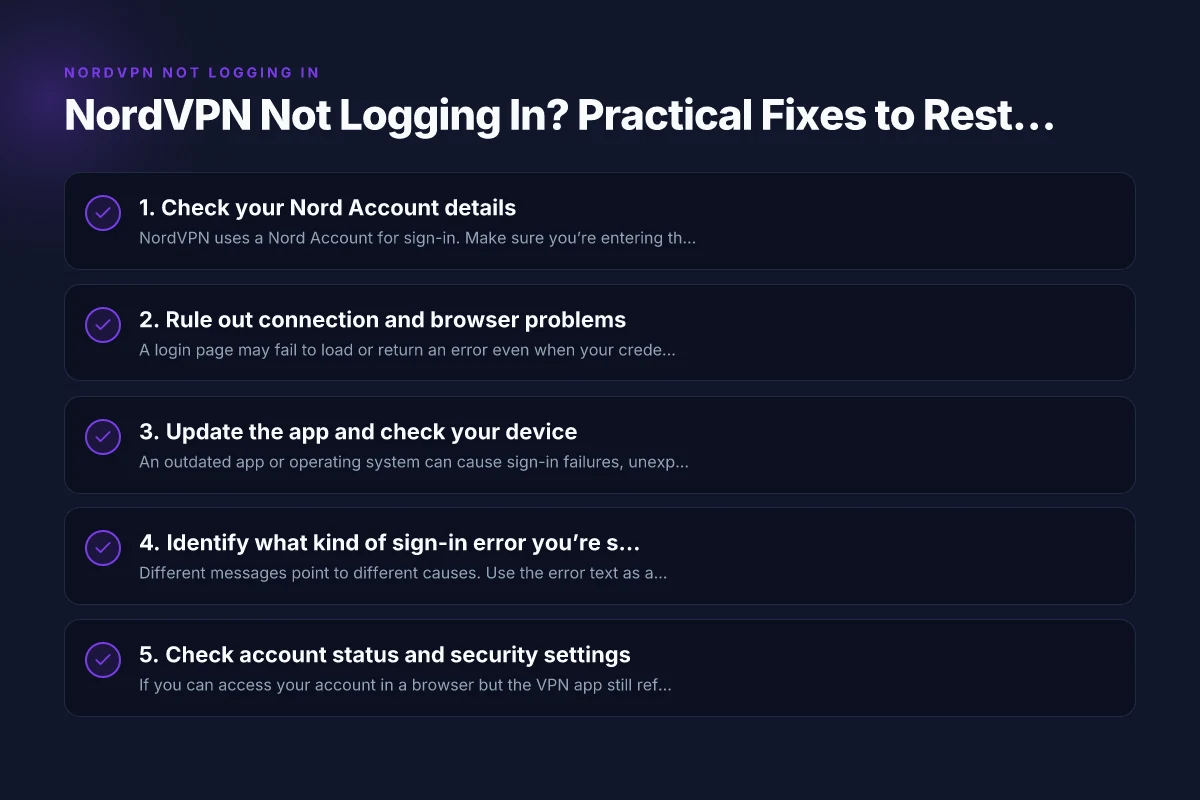
2. Rule out connection and browser problems
A login page may fail to load or return an error even when your credentials are right. Test whether your device can access other websites, then try another trusted network if possible.
For example, switch from Wi-Fi to mobile data, or restart your router. If sign-in works on a different network, the original connection may be blocking or disrupting the login request. A workplace, school, hotel, or public network may have restrictions that you can’t change yourself.
If you’re signing in through a browser, try these steps:
- Open the official sign-in page in a private or incognito window.
- Clear cookies and cached data for Nord-related pages.
- Temporarily disable browser extensions that may block scripts or redirects.
- Try a different up-to-date browser.
- Check that your device’s date and time are set automatically.
If you’re using the NordVPN app, quit it fully and reopen it. Then restart your device. This can clear a stalled sign-in process without changing account settings. What Is My VPN Location? How to Check and Understand It
3. Update the app and check your device
An outdated app or operating system can cause sign-in failures, unexpected crashes, or compatibility problems. Install the latest NordVPN version from the official source for your device, such as the NordVPN website or the device’s official app store.
Also check that:
- Your operating system is supported and up to date.
- Your device has a stable internet connection.
- The app is allowed to access the internet through your firewall or security software.
- You’re using the official NordVPN app, not an imitation or modified version.
If the app still won’t sign in, note the exact error message before reinstalling it. A reinstall may help if app files are damaged, but it generally won’t solve an incorrect password, account restriction, or billing issue. Confirm you can access your Nord Account in a browser first, if possible, and make sure you know your credentials before removing the app.
Compare troubleshooting options by where to try them Show crypto IKEv2 sa: How to Check IKEv2 Security Associations on Cisco Devices
| Option | Best for | What to try | What it helps rule out |
|---|---|---|---|
| Another browser | Browser sign-in issues | Open the Nord Account page elsewhere | Browser-specific problems |
| Private browsing window | Possible stored browser data | Sign in in a private window | Cookies or cached data |
| Another network | Page or connection failures | Switch between available networks | Network-specific issues |
| Updated NordVPN app | App sign-in trouble | Install the latest app version | Outdated app behavior |
| Device restart | App or device glitches | Restart, then try again | Temporary device issues |
| Nord Account page | Checking credentials or status | Sign in through the account site | App-only versus account-wide issues |
Compiled November 2026; check the provider's site for current details.
4. Identify what kind of sign-in error you’re seeing
Different messages point to different causes. Use the error text as a clue rather than repeating the same login attempt.
| What you see | Common cause | What to try |
|---|---|---|
| Incorrect email or password | Typo, wrong account email, or outdated saved credentials | Re-enter details carefully or reset the password |
| Login page won’t load | Network, browser, or temporary service issue | Try another network, browser, or device |
| Verification or security prompt | Additional account check | Follow the official on-screen instructions |
| App keeps returning to the login screen | Stale session, app issue, or blocked redirect | Restart and update the app; try browser sign-in |
| Account or subscription message | Account status or billing concern | Check your account details and contact official support |
An error can also be temporary. If your credentials work on another device but not on one particular device, focus on that device’s app, browser, network, and security settings. If sign-in fails everywhere, account access or a service-side issue is more likely.
5. Check account status and security settings
If you can access your account in a browser but the VPN app still refuses to sign in, review your account status and any alerts shown in your account dashboard. Check whether your subscription is active and whether NordVPN is asking you to verify your email or complete another security step. FortiGate Client VPN: Setup, Configuration, and Troubleshooting
When a verification message does not arrive, check spam and confirm that your email provider is working. Don’t share one-time codes, password-reset links, or account credentials with anyone claiming to be support. Official support should not need your password.
If you use a VPN, proxy, firewall, or security suite while trying to sign in, temporarily test the login without the setting that may be interfering, where it’s safe and permitted to do so. Don’t disable essential protection for an extended period. On managed work or school devices, ask the administrator before changing security or network settings.
Decide whether to troubleshoot yourself or contact support
| Situation | Recommended next step | Check first | Contact support when |
|---|---|---|---|
| Password may be incorrect | Reset the password | Confirm the account email | Reset does not restore access |
| Browser sign-in fails | Try another browser or network | Check whether the page loads | The account page remains inaccessible |
| App sign-in fails | Update the app and restart the device | Try signing in through Nord Account | Browser access works but the app still fails |
| Error message identifies a specific issue | Follow the message’s guidance | Note the exact wording | The suggested fix does not work |
| Account or subscription status is unclear | Review account details | Confirm the account used to subscribe | Status appears incorrect |
| Sign-in is blocked by a security check | Follow the on-screen instructions | Check available account security settings | You cannot complete the verification |
| Basic fixes have not helped | Gather the error details | Note device, app, and attempted steps | Access remains unavailable |
Compiled November 2026; check the provider's site for current details. Free VPN to Switch Country: What Works and What to Check
6. When to contact NordVPN support
Contact NordVPN through its official website if you’ve confirmed your details, tried another connection, updated the app, and still can’t sign in. Support can help determine whether the problem relates to account verification, subscription status, or a service issue.
To make the conversation more useful, provide:
- The device and operating system you’re using.
- Whether you’re signing in through the app or a browser.
- The exact error message and when it appears.
- The troubleshooting steps you’ve already tried.
Never send your password or a one-time verification code. If you suspect someone else has access to your account, reset your password through the official Nord Account page and follow NordVPN’s security guidance.
Recommendation
Start with the Nord Account email and password, then test a different network or browser and update the app. If the same error persists across devices, use NordVPN’s official support channel rather than repeatedly guessing credentials or following links from unknown sources. Free VPN to Change Country: What Works and What to Watch For