
SoftEther VPN Server: How It Works, Setup, and Security
Learn what a SoftEther VPN server does, how to install and configure it, and how to secure it for remote access.


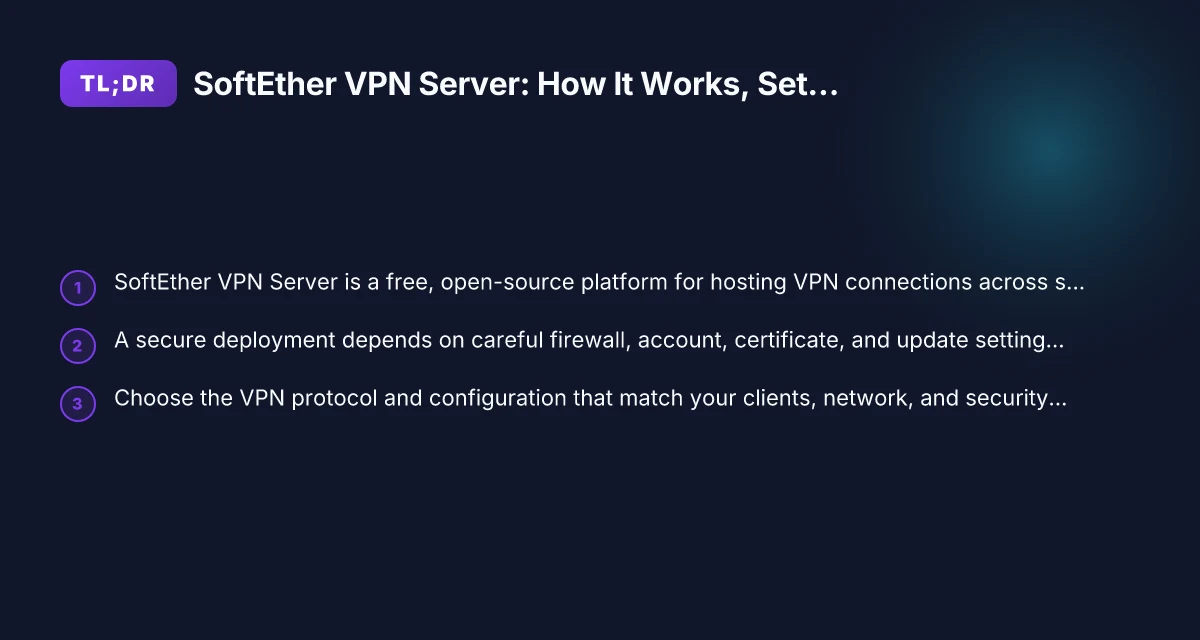
A SoftEther VPN server lets users connect securely to a private network over the internet. SoftEther VPN Server is free, open-source server software that supports multiple VPN protocols, making it useful for remote access, site-to-site connections, and compatibility with different client devices. It is flexible, but it still needs thoughtful configuration: installing the software alone does not make a VPN deployment secure.

Editor's pick: NordVPN — fast, secure VPN — Strong encryption, a no-logs policy and apps for every device. 30-day money-back guarantee. Get NordVPN →
Compare SoftEther VPN connection methods
| Method | Best suited for | Client support | Typical use | Main consideration |
|---|---|---|---|---|
| SoftEther VPN | SoftEther clients | SoftEther VPN Client | Connecting with SoftEther-specific features | Requires compatible client software |
| OpenVPN | Broad device compatibility | OpenVPN clients | Connecting from common VPN apps | Requires OpenVPN configuration |
| L2TP/IPsec | Built-in operating system clients | Supported on many operating systems | Simple device setup | Firewall and NAT compatibility can matter |
| SSTP | Windows clients | Built into Windows | Connections over HTTPS-friendly networks | Support varies outside Windows |
| EtherIP | Layer 2 tunneling | Compatible network devices | Connecting Ethernet segments | Intended for specialized network setups |
| SSL-VPN | Browser-based or SoftEther clients | Web browser or SoftEther VPN Client | Remote access through HTTPS | Browser-based access may have limitations |
Compiled November 2026; check the provider's site for current details.
| VPN | Obfuscation | From / month | Plan | Free plan | Refund | Alipay | UnionPay | Crypto | Website opens in China | Trustpilot | |
|---|---|---|---|---|---|---|---|---|---|---|---|
 ZoogVPN | Turn on manually Shadow | $2.49/mo | 27 months: $59.99 | Yes | 7 days | ✓ | ✓ | ✓ | ✓ | Official site blocked; our special link opens (4.4 s) | 4.2/5 (195 reviews) |
 NordVPN | Turn on manually Obfuscated Servers / NordWhisper | $3.49/mo | 27 months: $94.23 | No | 30 days | ? | ✗ | ✓ | ✓ | ✗ Blocked | 4.2/5 (51,628 reviews) |
 ExpressVPN | ✓ On by default all servers | $3.00/mo | 28 months: $84 | No | 30 days | ✗ | ✗ | ✓ | ✗ | ✗ Blocked | 4.4/5 (29,706 reviews) |
 Surfshark | ✓ On by default Camouflage, with OpenVPN | See site | See site | No | 30 days | ✗ | ✗ | ✗ | ✓ | ✗ Blocked | 4.3/5 (31,823 reviews) |
 Proton VPN | Turn on manually Stealth, free plan too | $2.99/mo | 12 months: $35.88 | Yes | 30 days | ✗ | ✗ | ✗ | ✓ | ✗ Blocked | 2.1/5 (1,040 reviews) |
 Astrill VPN | Turn on manually StealthVPN / OpenWeb | $12.50/mo | 24 months: $300 | No | See site | ✗ | ✗ | ✗ | ✓ | ✗ Blocked | 1.3/5 (110 reviews) |
 Private Internet Access | Turn on manually Shadowsocks, OpenVPN only | $2.03/mo | 40 months: $81.2 | No | 30 days | ✗ | ✗ | ✗ | ✗ | ✗ Blocked | 4.2/5 (11,033 reviews) |
 CyberGhost | Turn on manually selected servers | $2.19/mo | 28 months: $61.32 | No | 45 days | ✗ | ✗ | ✗ | ✓ | ✗ Blocked | 4.0/5 (24,178 reviews) |
 PureVPN | Turn on manually switch to OpenVPN | $1.69/mo | 60 months: $101.55 | No | 31 days | ? | ? | ✗ | ✓ | ✗ Blocked | 4.4/5 (17,994 reviews) |
 AdGuard VPN | ✓ On by default TrustTunnel | $2.99/mo | 24 months: $71.76 | Yes | 30 days | ✓ | ✗ | ✓ | ✓ | Official site blocked; our special link opens (3.7 s) | 4.3/5 (290 reviews) |
 Mullvad | Turn on manually QUIC / Shadowsocks / LWO | $5.61/mo | €5/mo | No | 14 days | ✗ | ✗ | ✗ | ✓ | ✗ Blocked | 3.2/5 (192 reviews) |
 Windscribe | Turn on manually Stealth / WStunnel | $5.75/mo | 12 months: $69 | Yes | See site | ✗ | ✗ | ✗ | ✓ | ✗ Blocked | 4.7/5 (13,355 reviews) |
 StrongVPN | Turn on manually Scramble, OpenVPN TCP | See site | See site | No | 30 days | ✓ | ✗ | ✗ | ✗ | ✗ Blocked | 4.4/5 (2,695 reviews) |
 LightXtreme 闪连 | Not listed | $7.08/mo | 12 months: $84.99 | Yes | 30 days | ✓ | ✓ | ✓ | ✓ | ✓ Yes (3.5 s) | No page |
Prices checked 2026-11-10 on each vendor's pricing page (cheapest long plan, USD). Check the vendor's checkout for the final price.
Obfuscation checked 2026-11-14 on each vendor's site and help center: "on by default" = nothing to set; "turn on manually" = switch protocol or mode in settings; "not listed" = the vendor describes no obfuscation.
Payment methods checked 2026-11-10 on each vendor's payment pages: all 14 take cards and PayPal; ✗ = not listed, ? = the vendor's own pages disagree.
China access: whether the official website opens from mainland China networks (tests the website only, not the VPN connection). Last checked 2026-11-18 01:02 Beijing time.
Trustpilot score and review count checked 2026-11-10.
What SoftEther VPN Server does
SoftEther VPN Server accepts encrypted connections from VPN clients and provides a path to resources on the server’s network. Depending on how you configure it, a user may be able to reach selected internal services, access a broader private network, or route internet traffic through the VPN.
The software supports several protocols, including SoftEther’s own SSL-VPN protocol, L2TP/IPsec, and OpenVPN-compatible connections. This can help when users have different operating systems or need to use built-in VPN clients. Protocol support and available features depend on the server and client configuration.
SoftEther is distinct from SoftEther VPN Client, which runs on a user’s device to connect to a VPN. The server is the component you install on a machine that is reachable by your users.

Choose the right connection method
SoftEther’s protocol options offer flexibility, but they are not interchangeable in every environment. Consider what client software users can install, which protocols their devices support, and what network policies apply. Best VPN Extensions for Edge: Top Picks for Privacy, Speed, and Streaming
| Connection method | Best suited to | Practical consideration |
|---|---|---|
| SoftEther SSL-VPN | SoftEther clients and networks where compatibility is important | Uses SSL-VPN over TCP; check firewall and network policies |
| L2TP/IPsec | Devices with built-in L2TP/IPsec support | Requires careful IPsec configuration and appropriate firewall access |
| OpenVPN-compatible connection | Users who already use OpenVPN client software | Requires compatible configuration files and client settings |
For many deployments, the simplest choice is the protocol that works reliably with users’ existing devices while meeting organizational security requirements. Avoid enabling protocols you do not plan to use, and test connections from outside the server’s local network.
Install and configure the server
SoftEther VPN Server is commonly installed on a Linux or Windows machine. A virtual private server can work for a small remote-access setup, while an on-premises machine may be preferable when users need direct access to local resources. Confirm that the host’s operating system and SoftEther release are supported, and obtain installation files from the official SoftEther project.
A typical setup includes these steps:
- Install SoftEther VPN Server on a maintained host.
- Open the server administration tool and set a strong administrator password.
- Create a Virtual Hub, which provides a logical space for VPN users and network settings.
- Add user accounts and assign authentication methods.
- Choose and configure the connection protocol or protocols.
- Configure IP addressing, routing, and access to the required network resources.
- Set firewall rules and test a client connection from an external network.
A Virtual Hub is not a complete security boundary by itself. Carefully decide which network destinations connected users can reach. If users need access to only one application or subnet, avoid granting unrestricted access to the entire host network. VPN Microsoft Edge: How to Turn It On and Choose the Right Option
Network access and firewall rules
The server must be reachable on the ports required by your selected protocol. Rules differ by protocol and configuration, so consult SoftEther’s documentation and your firewall settings rather than opening every port as a shortcut. Restrict management access where possible, and do not expose the administration interface broadly to the internet.
If the server is behind a router or cloud firewall, configure the relevant port forwarding or inbound rules. Also confirm that the server’s local firewall permits the intended traffic. Test both successful access and blocked access to resources users should not reach.
Compare SoftEther VPN deployment options
| Option | Setup effort | Ongoing administration | Access scope | Main consideration |
|---|---|---|---|---|
| Self-hosted server | Requires installation and configuration | Managed by the server operator | Depends on configured virtual hubs and users | Operator handles updates and security |
| Cloud-hosted server | Requires cloud and server configuration | Managed by the operator | Depends on network and access rules | Cloud firewall rules must allow VPN traffic |
| Home network server | Requires router and server configuration | Managed locally | Remote access to permitted home resources | Router and NAT settings can affect access |
| Virtual hub | Configured within SoftEther VPN Server | Managed through server administration | Organizes users and VPN connections | Access depends on hub and user settings |
| Local bridge | Requires network interface configuration | Managed by the operator | Connects VPN clients to a local Ethernet segment | Can expose local network resources |
| SecureNAT | Configured within a virtual hub | Managed through hub settings | Provides virtual network access | Use access controls appropriate to the environment |
Compiled November 2026; check the provider's site for current details. FortiClient IPsec VPN: Setup, Configuration, and Troubleshooting
Secure accounts, traffic, and administration
A VPN provides an encrypted connection, but it does not automatically protect weak passwords, compromised devices, or overly broad network access. Treat the server as an internet-facing service and apply layered controls.
Recommended practices include:
- Use unique, strong administrator and user credentials.
- Enable multifactor authentication where supported by your chosen setup.
- Use certificates or other stronger authentication methods when appropriate.
- Disable unused protocols, listeners, and accounts.
- Limit each user’s access to the systems they need.
- Keep the host operating system and SoftEther software updated.
- Store configuration backups securely and test that they can be restored.
- Monitor connection logs and review them for unexpected activity.
- Restrict administrative access to trusted networks or management hosts.
Certificates help clients verify that they are connecting to the intended server. Keep private keys protected, renew certificates before they expire, and provide users with configuration details through a trusted channel. A client should not ignore certificate warnings without first verifying why they appeared.
Common issues and troubleshooting
Connection failures often come from mismatched settings rather than a problem with the VPN software itself. Start with the simplest checks: Hkmc rndvpn hyundai net: Access, Purpose, and Troubleshooting
- The server cannot be reached: Check its public address, DNS, host status, firewall rules, and router or cloud-network settings.
- Authentication fails: Confirm the username, password, authentication method, and account status.
- The VPN connects but resources are unavailable: Review IP assignments, routes, Virtual Hub settings, and local network firewall rules.
- Some networks block the connection: Test from another network and review whether the selected protocol and port are permitted.
- Performance is poor: Check server CPU, memory, bandwidth, latency, and routing. Encryption and long-distance connections can affect throughput.
Use logs on both the server and client to narrow down the issue. Change one setting at a time, document the change, and retest. This makes troubleshooting more reliable and helps prevent a temporary fix from weakening security.
Troubleshoot common SoftEther VPN problems
| Symptom | Likely area to check | Suggested action | Security consideration |
|---|---|---|---|
| Cannot reach the server | Server address or network path | Verify the address and connectivity | Avoid exposing unnecessary services |
| Connection times out | Firewall or port forwarding | Check firewall and router rules | Permit only required traffic |
| Login is rejected | User account or credentials | Confirm the account and authentication settings | Use strong, unique credentials |
| Connects but cannot reach resources | Hub, routing, or access rules | Review hub configuration and network routes | Limit access to required resources |
| Connection drops | Network stability or client settings | Check both client and server logs | Keep logs protected |
| Certificate warning appears | Certificate configuration | Verify the server certificate and client trust | Do not ignore unverified certificates |
| Administration access fails | Admin credentials or management settings | Verify permitted management access | Restrict administration to trusted networks |
Compiled November 2026; check the provider's site for current details.
Recommendation
SoftEther VPN Server is a practical choice when you need a flexible, self-hosted VPN with support for multiple connection methods. It is particularly useful when client compatibility matters, but its versatility means you should keep the configuration focused: select the protocol you need, limit network access, secure administration, and maintain the host. For a small or business deployment, test the complete setup with real client devices and document how users connect before relying on it for critical access. BIG-IP Edge Client VPN: What It Is and How to Connect