
FortiClient VPN Connection Failed. Please Check Your Configuration: How to Fix It
Fix the FortiClient VPN “connection failed” message by checking your settings, credentials, network, and FortiGate configuration.
If FortiClient says “VPN connection failed. Please check your configuration,” verify the VPN settings first: the connection type, remote gateway address, port, and authentication details must match the configuration provided by your organization. Then confirm that your internet connection works and that your account is allowed to connect. If those checks do not resolve the error, the problem may be on the VPN server or network side, so contact your IT administrator with the exact error and the steps you have tried.
The message is broad: it does not identify one specific cause. A wrong gateway, expired password, blocked network port, outdated client, or server-side policy can all prevent a connection. Work through the checks below in order, and avoid changing company-managed settings without approval.
| VPN | Obfuscation | From / month | Plan | Free plan | Refund | Alipay | UnionPay | Crypto | Website opens in China | Trustpilot | |
|---|---|---|---|---|---|---|---|---|---|---|---|
 ZoogVPN | Turn on manually Shadow | $2.49/mo | 27 months: $59.99 | Yes | 7 days | ✓ | ✓ | ✓ | ✓ | Official site blocked; our special link opens (4.4 s) | 4.2/5 (195 reviews) |
 NordVPN | Turn on manually Obfuscated Servers / NordWhisper | $3.49/mo | 27 months: $94.23 | No | 30 days | ? | ✗ | ✓ | ✓ | ✗ Blocked | 4.2/5 (51,628 reviews) |
 ExpressVPN | ✓ On by default all servers | $3.00/mo | 28 months: $84 | No | 30 days | ✗ | ✗ | ✓ | ✗ | ✗ Blocked | 4.4/5 (29,706 reviews) |
 Surfshark | ✓ On by default Camouflage, with OpenVPN | See site | See site | No | 30 days | ✗ | ✗ | ✗ | ✓ | ✗ Blocked | 4.3/5 (31,823 reviews) |
 Proton VPN | Turn on manually Stealth, free plan too | $2.99/mo | 12 months: $35.88 | Yes | 30 days | ✗ | ✗ | ✗ | ✓ | ✗ Blocked | 2.1/5 (1,040 reviews) |
 Astrill VPN | Turn on manually StealthVPN / OpenWeb | $12.50/mo | 24 months: $300 | No | See site | ✗ | ✗ | ✗ | ✓ | ✗ Blocked | 1.3/5 (110 reviews) |
 Private Internet Access | Turn on manually Shadowsocks, OpenVPN only | $2.03/mo | 40 months: $81.2 | No | 30 days | ✗ | ✗ | ✗ | ✗ | ✗ Blocked | 4.2/5 (11,033 reviews) |
 CyberGhost | Turn on manually selected servers | $2.19/mo | 28 months: $61.32 | No | 45 days | ✗ | ✗ | ✗ | ✓ | ✗ Blocked | 4.0/5 (24,178 reviews) |
 PureVPN | Turn on manually switch to OpenVPN | $1.69/mo | 60 months: $101.55 | No | 31 days | ? | ? | ✗ | ✓ | ✗ Blocked | 4.4/5 (17,994 reviews) |
 AdGuard VPN | ✓ On by default TrustTunnel | $2.99/mo | 24 months: $71.76 | Yes | 30 days | ✓ | ✗ | ✓ | ✓ | Official site blocked; our special link opens (3.7 s) | 4.3/5 (290 reviews) |
 Mullvad | Turn on manually QUIC / Shadowsocks / LWO | $5.61/mo | €5/mo | No | 14 days | ✗ | ✗ | ✗ | ✓ | ✗ Blocked | 3.2/5 (192 reviews) |
 Windscribe | Turn on manually Stealth / WStunnel | $5.75/mo | 12 months: $69 | Yes | See site | ✗ | ✗ | ✗ | ✓ | ✗ Blocked | 4.7/5 (13,355 reviews) |
 StrongVPN | Turn on manually Scramble, OpenVPN TCP | See site | See site | No | 30 days | ✓ | ✗ | ✗ | ✗ | ✗ Blocked | 4.4/5 (2,695 reviews) |
 LightXtreme 闪连 | Not listed | $7.08/mo | 12 months: $84.99 | Yes | 30 days | ✓ | ✓ | ✓ | ✓ | ✓ Yes (3.5 s) | No page |
Prices checked 2026-11-10 on each vendor's pricing page (cheapest long plan, USD). Check the vendor's checkout for the final price.
Obfuscation checked 2026-11-14 on each vendor's site and help center: "on by default" = nothing to set; "turn on manually" = switch protocol or mode in settings; "not listed" = the vendor describes no obfuscation.
Payment methods checked 2026-11-10 on each vendor's payment pages: all 14 take cards and PayPal; ✗ = not listed, ? = the vendor's own pages disagree.
China access: whether the official website opens from mainland China networks (tests the website only, not the VPN connection). Last checked 2026-11-18 01:02 Beijing time.
Trustpilot score and review count checked 2026-11-10.

Editor's pick: NordVPN — fast, secure VPN — Strong encryption, a no-logs policy and apps for every device. 30-day money-back guarantee. Get NordVPN →
Compare likely FortiClient VPN failure causes and what to check first
| Possible cause | What to check | Quick test | Likely sign | Next step |
|---|---|---|---|---|
| Incorrect VPN profile | Gateway, port, and VPN type | Compare with approved settings | Connection fails immediately | Re-enter verified profile details |
| Wrong credentials | Username and password | Sign in to an approved account portal | Authentication error | Confirm credentials with the administrator |
| Account access issue | Account status and VPN permission | Check whether access is enabled | Login is rejected despite correct details | Request access or account review |
| Internet outage | General internet access | Open a trusted website | No sites load | Restore internet before retrying |
| Local network restriction | Firewall, Wi-Fi, or network rules | Try another permitted network | VPN works on a different network | Ask the network administrator to review restrictions |
| Outdated FortiClient | Installed version and available updates | Check for an approved update | Issue began after a software change | Update using the organization’s approved method |
| Operating-system mismatch | OS support and recent updates | Check compatibility guidance | Client fails after an OS change | Confirm supported versions with IT |
| Certificate or policy issue | Certificate validity and security requirements | Check for certificate warnings | Trust or policy error appears | Contact IT; do not bypass security checks |
| VPN server unavailable | Service status or outage notice | Ask whether others can connect | Multiple users are affected | Wait for service restoration or contact support |
Compiled November 2026; check the provider's site for current details.
1. Check the VPN profile and connection details
Open FortiClient and review the VPN profile you are trying to use. Compare its settings with the instructions from your employer or VPN administrator. A small difference, such as an outdated server name or incorrect port, can stop the connection.
Confirm:
- The VPN type is correct, such as SSL-VPN or IPsec VPN.
- The remote gateway or server address is spelled correctly.
- The port matches the one specified by your organization.
- Any required VPN name, realm, or connection label is entered correctly.
- The profile is enabled and you are selecting the right one.
Do not guess at server addresses or ports. Organizations may use different settings, and some profiles are deployed or managed centrally. If your organization provides a setup file or configuration instructions, use those rather than copying details from an old device or another employee’s profile.
If you recently changed networks, moved to a new device, or reinstalled FortiClient, ask IT whether the profile needs to be reissued. Connect VPN Without Download: Browser and Built-In Options
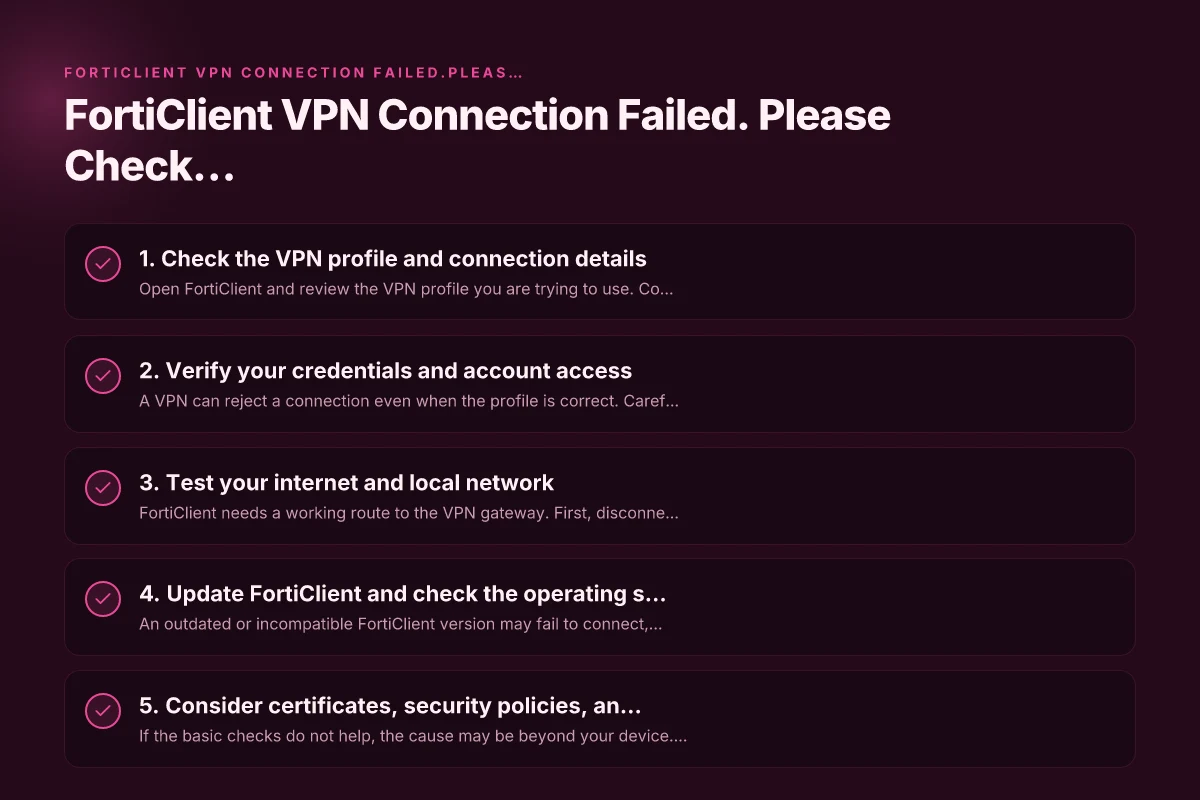
2. Verify your credentials and account access
A VPN can reject a connection even when the profile is correct. Carefully re-enter your username and password, checking for typos, an unexpected keyboard layout, or an old password saved in the client. If your organization uses multifactor authentication (MFA), approve the current prompt and follow any instructions for a one-time code.
Check whether:
- Your password has expired or was recently changed.
- Your account is locked or has been disabled.
- You are using the required username format, such as an email address or domain\username.
- MFA is working and your device has the correct time.
- Your account has permission to use the VPN.
If you recently reset your password, remove or update any saved credentials in FortiClient if the option is available. Do not share your password or MFA code with anyone, including someone claiming to be support. If you suspect an account issue, contact your organization through its approved support channel.
Choose the next troubleshooting action by symptom Norton VPN APK for Firestick: What to Know Before You Install
| Symptom | First action | If it succeeds | If it fails | Avoid |
|---|---|---|---|---|
| Connection fails before sign-in | Verify profile details | Retry with the confirmed settings | Check internet and server availability | Guessing gateway or port values |
| Sign-in is rejected | Recheck username and password | Connect using the authorized account | Ask IT to verify account access | Repeated guesses that may lock the account |
| No internet access | Restore the local connection | Retry the VPN | Test another permitted network | Treating a VPN setting as the cause |
| VPN works on another network | Review local network restrictions | Use the permitted network | Ask the network administrator for help | Disabling firewall protections |
| Failure started after an update | Check client and OS compatibility | Use an approved compatible version | Send version details to IT | Installing software from untrusted sources |
| Certificate warning appears | Check certificate and system date | Retry only after verification | Ask IT to confirm certificate requirements | Ignoring or bypassing the warning |
| Several users cannot connect | Check for a service notice | Retry after service recovery | Report the outage to support | Changing personal settings without evidence |
Compiled November 2026; check the provider's site for current details.
3. Test your internet and local network
FortiClient needs a working route to the VPN gateway. First, disconnect from the VPN and check that ordinary websites load. If they do not, resolve the internet connection problem before troubleshooting FortiClient.
Next, try a different trusted network, such as a mobile hotspot, if your organization permits it. This can help identify whether the original network is blocking VPN traffic. Public Wi-Fi, guest networks, hotel connections, and some workplace networks may restrict the ports or protocols required by a VPN.
| What you observe | Possible cause | Useful next step |
|---|---|---|
| Websites do not load without the VPN | Local internet or Wi-Fi issue | Restore the internet connection |
| VPN works on a hotspot but not on Wi-Fi | Network firewall or router restriction | Ask the network provider or IT team |
| Connection fails on every network | Profile, account, client, or VPN server issue | Continue with the checks below and contact IT |
| The failure began after a password change | Stale saved credentials or authentication issue | Update credentials and verify account access |
Restarting your computer and router can clear temporary network problems. However, do not disable antivirus, a firewall, or other security software simply to test the VPN. If you think security software is interfering, ask your administrator for an approved diagnostic procedure. My IP ExpressVPN: How to Check Your IP Address and Fix Connection Issues
4. Update FortiClient and check the operating system
An outdated or incompatible FortiClient version may fail to connect, particularly after an operating-system update or a change to the organization’s VPN service. Check whether your employer requires a particular FortiClient version. Use the official installer or company software portal. Do not download VPN software from unofficial websites.
You can also try these basic maintenance steps:
- Close FortiClient completely and reopen it.
- Restart the computer.
- Install pending operating-system updates if your organization allows them.
- Check whether your device’s date and time are set automatically.
- If your organization manages FortiClient, contact IT before uninstalling or reinstalling it.
Reinstallation is not always the right first step. A managed installation may include a required configuration, certificate, or security policy that could be lost or need to be restored. Ask IT before removing the client, especially on a work device.
Compare support and escalation options Norton VPN App for Fire Stick: What to Know Before You Install
| Option | Best used when | Information to provide | Expected benefit | Security note |
|---|---|---|---|---|
| Recheck the VPN profile | Connection details may be incorrect | VPN type, gateway, and port | Corrects configuration mistakes | Use only administrator-approved values |
| Verify account access with IT | Credentials fail or access is uncertain | Username and error message | Confirms account status and permission | Never send a password |
| Test another permitted network | A local network restriction is suspected | Networks tested and results | Helps isolate network-related issues | Follow workplace network rules |
| Update through an approved channel | Client may be outdated | FortiClient version and OS | Aligns software with supported versions | Avoid unofficial downloads |
| Request certificate review | A certificate or trust warning appears | Warning text and connection time | Identifies certificate or policy problems | Do not bypass certificate checks |
| Ask about VPN service status | Server availability is uncertain | Time of failure and affected users | Confirms a broader outage | Share only necessary diagnostic details |
| Open an IT support ticket | The issue persists after basic checks | Steps tried, error text, client and OS versions | Enables targeted troubleshooting | Remove passwords and sensitive data |
| Wait and retry after confirmed outage | IT reports service disruption | Outage notice or ticket reference | Avoids unnecessary local changes | Retry only after service is restored |
Compiled November 2026; check the provider's site for current details.
5. Consider certificates, security policies, and server availability
If the basic checks do not help, the cause may be beyond your device. FortiClient connections can depend on a valid certificate, a reachable FortiGate gateway, and policies that allow your account and device to connect. A certificate that has expired, is not trusted, or does not match the server name can prevent a secure connection.
Your administrator may need to check:
- Whether the VPN gateway is online and reachable from the internet.
- Whether the configured port and VPN service are available.
- Whether your user group and device meet the access policy.
- Whether a required certificate is installed and valid.
- Whether recent firewall, authentication, or VPN changes caused the failure.
- FortiClient and FortiGate logs for the specific reason the connection was rejected.
If FortiClient displays a more specific message, note it exactly. Also record when the issue began, which network you are using, whether other users are affected, and whether the VPN works on another approved device. This information helps IT distinguish a local configuration problem from an account or server outage. NordVPN Activation Code: How to Get and Use One
Recommended next step
Start by comparing your FortiClient profile with your organization’s current setup instructions, then verify your credentials and internet access. If the message remains, contact your IT administrator rather than changing advanced settings. Share the exact error, your FortiClient version, your operating system, and what you have already tested so support can investigate the right configuration or server-side issue.